
Running Ubuntu Containers with Hyper-V Isolation on Windows

Dustin Kirkland
on 13 September 2017
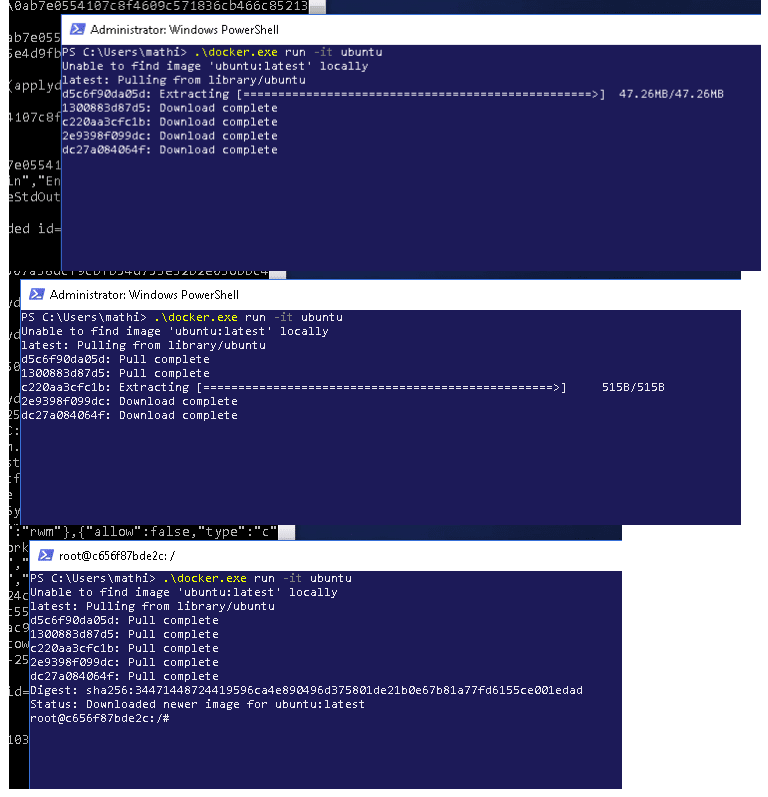
Canonical and Microsoft have teamed up to deliver an truly special experience — running Ubuntu containers with Hyper-V Isolation on Windows 10 and Windows Servers!
We have published a fantastic tutorial at https://ubu.one/UhyperV, with screenshots and easy-to-follow instructions. You should be up and running in minutes!
Follow that tutorial, and you’ll be able to launch Ubuntu containers with Hyper-V isolation by running the following directly from a Windows Powershell:
-
docker run -it ubuntu bash
Cheers!
Dustin
Talk to us today
Interested in running Ubuntu in your organisation?
Newsletter signup
Related posts
Canonical announces the Enterprise Store as part of Ubuntu Pro
Canonical introduces a new way to manage software behind firewalls and in air-gapped environments with the Enterprise Store. The Enterprise Store makes...
Tracing a memory leak bug in PID 1 and contributing an upstream fix: a Linux support story
How Canonical Support helped a global retail organization trace the cause for an unusual memory leak originating in PID 1. By investigating the issue across...
MAAS installation: bare metal provisioning is easier than ever
MAAS brings cloud-like automation to physical servers. It helps teams discover, commission, deploy, and repurpose machines from a central control plane,...